
Published · January 2026 · By VoiceOver Maker Team
AI voice over for ads and promo videos lets you scale narration without booking a studio. Tools like Murf.ai and ElevenLabs highlight realistic AI voices for marketing and text to speech for video—the same idea: natural-sounding, lifelike speech that fits product demos, social ads, and promo reels. With a voice over maker free trial you can test tone and pacing before committing. Here’s how to use AI voice over for ads and promo in 2026.
Why use AI voice over for ads?
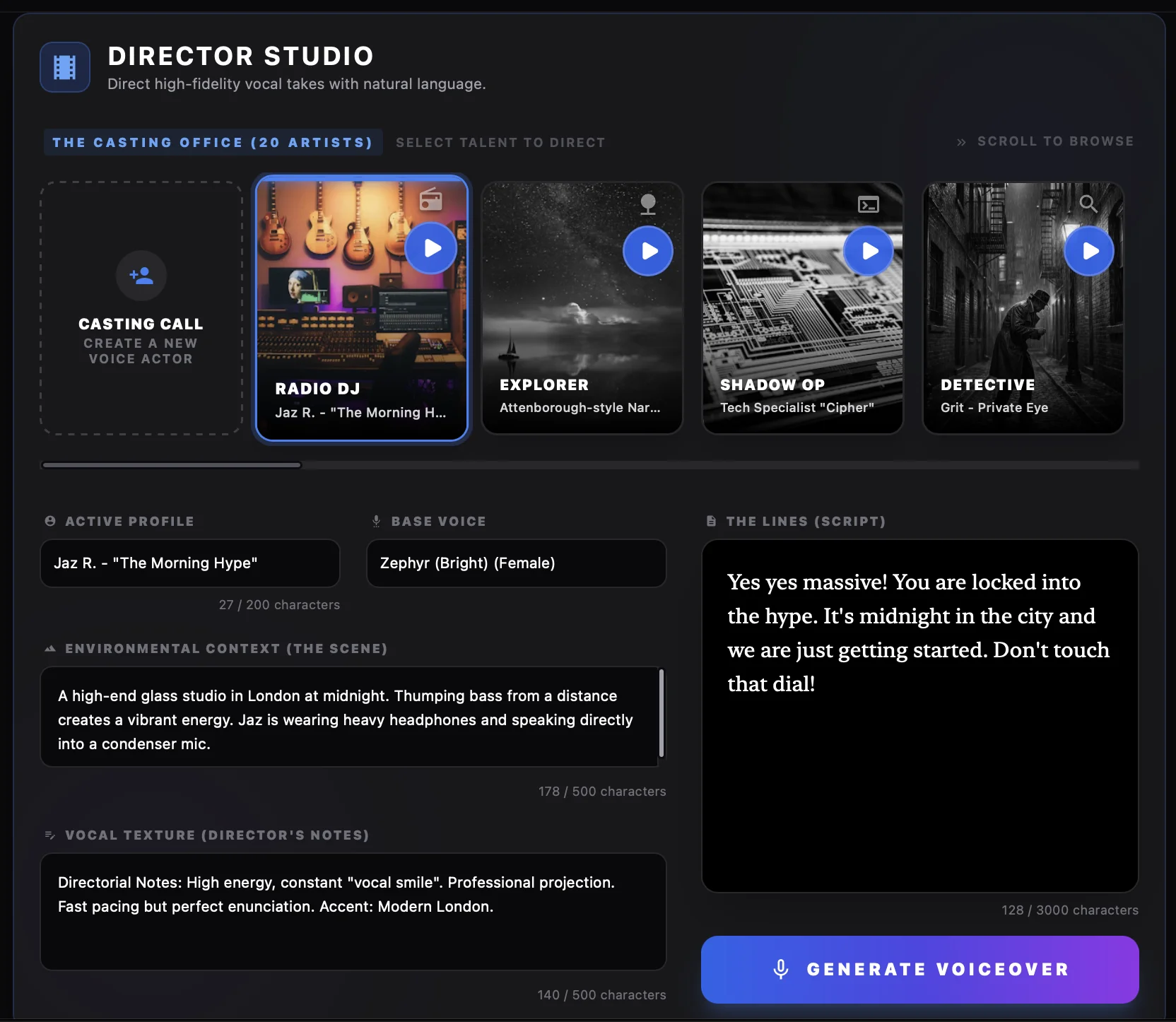
Ads and promo videos need consistent, clear narration that matches your brand. A free AI voice generator or AI voiceover generator gives you many realistic AI voices and quick iterations: change the script, regenerate, and compare. You avoid scheduling voice talent and can ship in multiple languages using multilingual text to speech. VoiceOver Maker’s 200+ voices in 45+ languages and Director Studio let you direct tone (e.g. “energetic and confident” for a product launch) so the computer generated voice over fits the spot.

Types of ads and promo that work well
Product demos and explainers — A clear, neutral or friendly text to speech online voice keeps focus on the product. Short sentences and a steady pace help viewers follow along. Use one voice per product line for consistency.
Social and short-form — For Instagram Reels, TikTok, or YouTube Shorts, text to speech for video needs to feel current and on-brand. Pick an energetic or conversational voice and use natural-sounding AI voiceover tips so it doesn’t sound robotic. Export presets for each platform keep levels and format correct.
Promo reels and sizzles — High-energy AI voice over works for event promos, app launches, and campaign teasers. In VoiceOver Maker, use Director Studio to describe the vibe (e.g. “urgent and exciting”) and Creative Studio to tweak speed and emphasis so the voice over maker output matches the cut.
Workflow: script to ad
- ✓ Write a short, punchy script (hooks and benefits; avoid long paragraphs)
- ✓ Choose a voice that matches the ad’s tone and audience
- ✓ Use Director Studio or Creative Studio to refine pacing and tone
- ✓ Generate and export (MP3/WAV or direct video); drop into your editor or use built-in export
For multilingual text to speech, duplicate the script, switch the voice language, and generate—one script can become many language versions for global campaigns.
Getting started
Try VoiceOver Maker for free: create a short ad or promo script, pick a voice, and export. For more, see our free AI voice generator guide, text to speech online quick start, and blog.