
Published · January 2026 · By VoiceOver Maker Team
A free AI voice generator and text to speech tool can turn scripts into natural-sounding narration in minutes. In 2026, the best options combine realistic AI voices, multiple languages, and easy export for video and podcasts. Here’s what to look for and how VoiceOver Maker fits in.

What makes a great free AI voice generator?
The best text to speech and AI voice over tools offer natural-sounding or lifelike speech, support for many voices and languages, and simple workflows. Look for a free AI voice over generator that lets you try without signup, then scale with a low-cost plan for commercial use. Quality varies widely: some services sound robotic while others are hard to tell from human narration. Check sample voices and read reviews before committing.
Key features to compare

- ✓ Number of AI voices and languages (e.g. 100+ voices, 45+ languages)
- ✓ Quality: natural-sounding vs. robotic
- ✓ Export formats: MP3, WAV, or direct video voiceover
- ✓ Use cases: YouTube, podcasts, ads, e-learning, product demos
- ✓ Free tier limits and upgrade path
VoiceOver Maker: text to speech online for creators
VoiceOver Maker is an AI voice generator and text to speech platform built for mobile and web. You get 200+ AI voices in 45+ languages, Director Studio for natural-language direction, and export to MP4, MP3, and WAV. Use it as a voice over maker free trial for videos, podcasts, and marketing content—then upgrade for more minutes and commercial licensing.
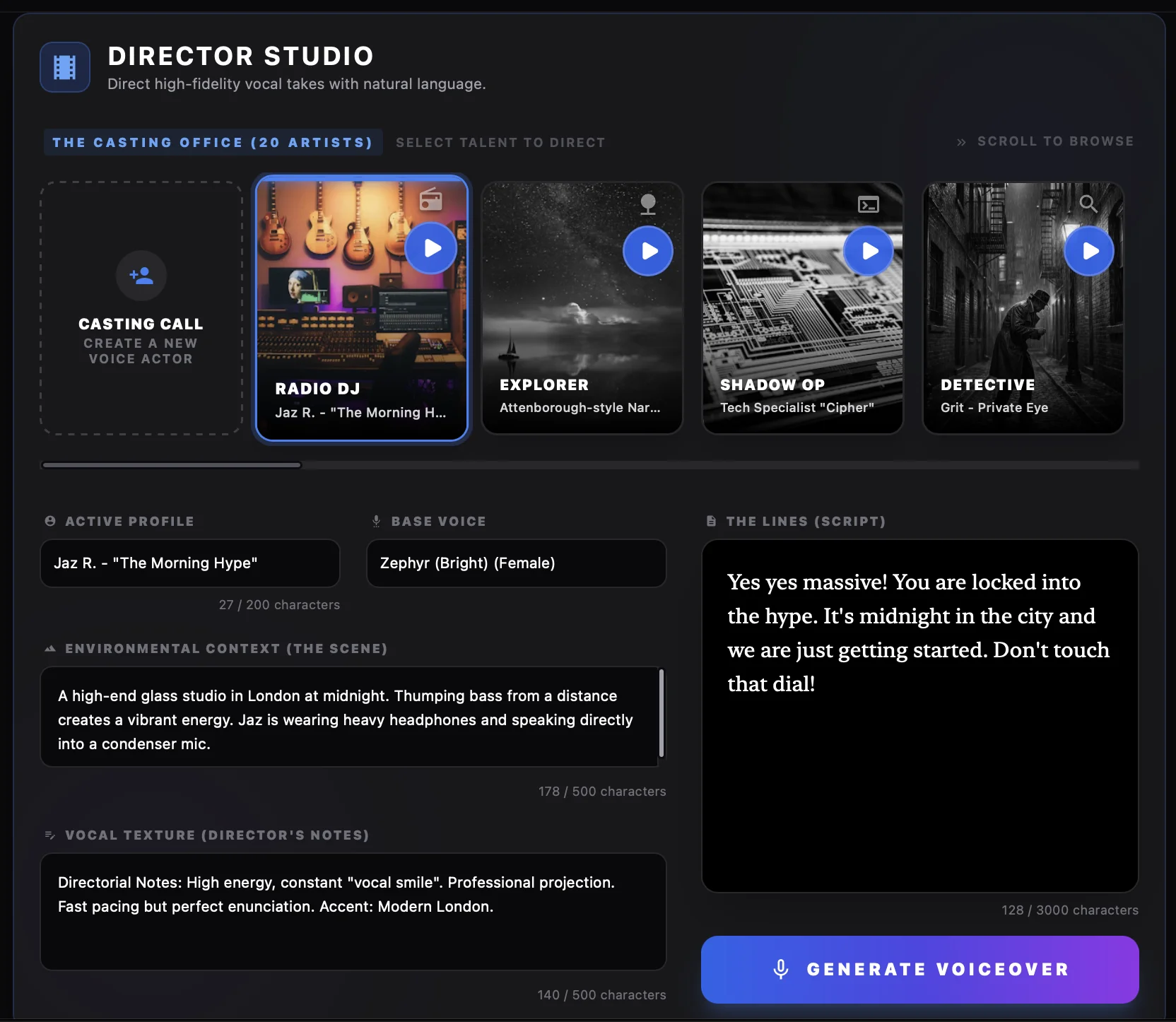
The app includes Creative Studio for fine-tuning pitch, speed, and effects, so you can match a brand voice or adjust tone for different segments. Integrations and API options are available for teams that need to automate computer generated voice over at scale. See pricing and product details for the full picture.
Use cases for AI voice over in 2026

Whether you need a computer generated voice over for explainer videos, text to speech for video, or narration for e-learning and ads, a solid free AI voice generator helps you ship faster. Pair it with your existing editor (e.g. CapCut, iMovie) or use built-in export presets for YouTube, TikTok, and Reels.
Video and social
Short-form and long-form video benefit from consistent, natural-sounding narration. Use an AI voiceover generator for YouTube intros, Instagram Reels, TikTok scripts, and product demos. Many tools, including VoiceOver Maker, offer presets tuned for different platforms so your levels and format are correct out of the box.
Podcasts and audiobooks
For podcasts, trailers, or audiobook-style content, lifelike speech and control over pacing matter. Look for a text to speech online service that supports longer scripts, multiple speakers if needed, and export in MP3 or WAV. Voice cloning is an option on some platforms if you need a specific voice; for most use cases, a strong library of realistic AI voices is enough.
E-learning and training
Multilingual text to speech is especially useful for training and e-learning: one script can become narration in many languages without re-recording. Use existing course art and screenshots alongside voiceover—for example, combine use cases like onboarding and product tutorials with a single voice over maker free trial to test the workflow.

Getting started
Ready to try? Start with the brand voice guide or jump into VoiceOver Maker for free and create your first AI voiceover in minutes. For more ideas, see our blog and tutorials on text to speech, Director Studio, and export workflows.