Voice library
Choose from expressive narrators, conversational hosts, or character voices. Save presets for repeat projects.
- ✓ 200+ neural voices
- ✓ Accent & locale filters
- ✓ Favorites synced across devices
AI voice and video studio. VoiceOver Maker blends advanced speech synthesis with a creator-friendly interface across iOS and the browser. Explore the features that make voiceover production fast, compliant, and secure for every team member.
Web subscriptions and invoices will be handled by our Merchant of Record partner while mobile upgrades continue through Apple.
Learn more about our AI voiceover generator, try our voice generator online, or see why we're the best AI voice generator.
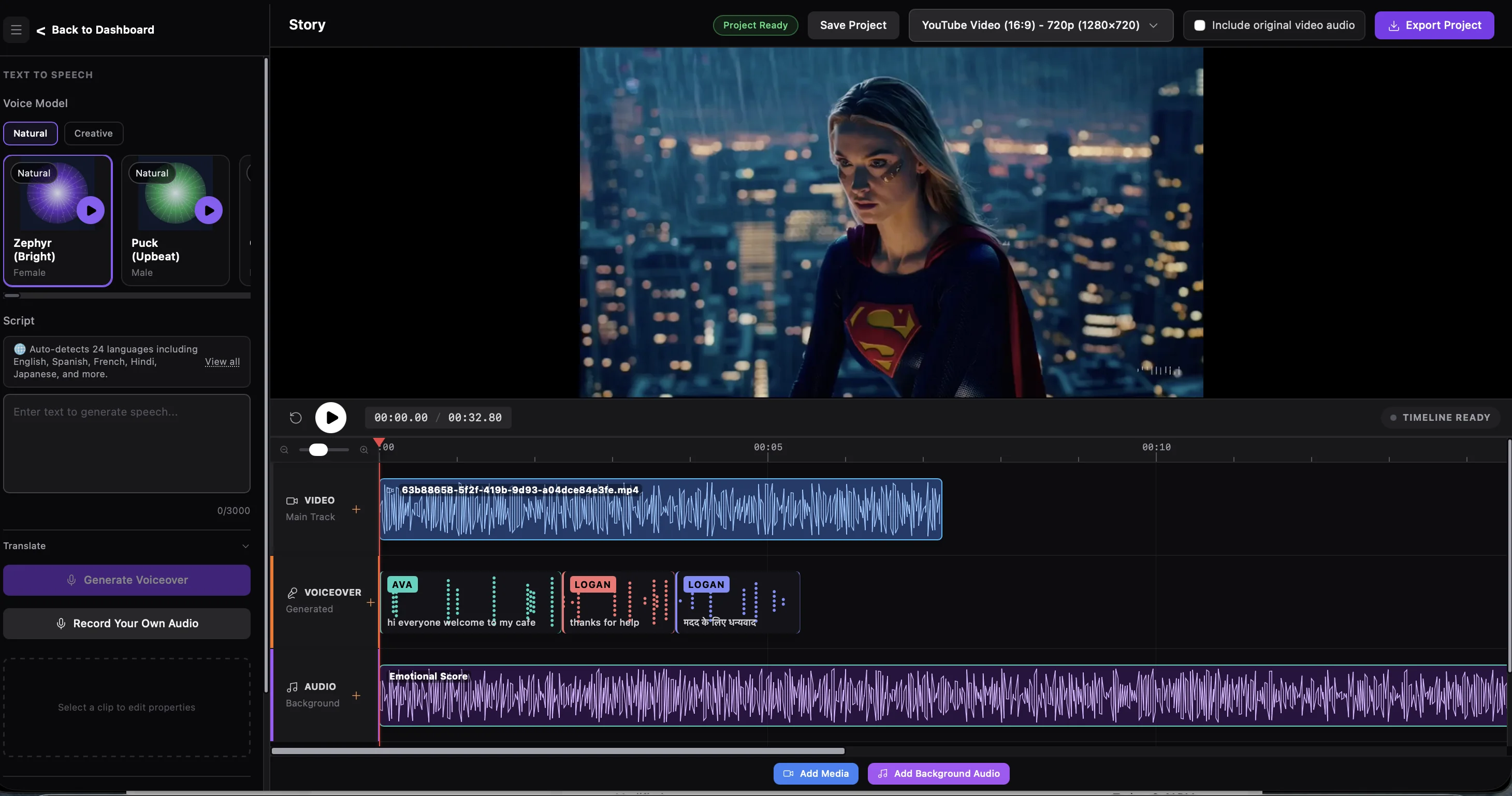
Voice engine
Deliver the perfect tone in 40+ languages with natural inflection on any device. Fine-tune pitch, pace, and pronunciation to match your brand, then deploy from iOS or the web studio.
Choose from expressive narrators, conversational hosts, or character voices. Save presets for repeat projects.
Production
Clean, edit, and version your voiceovers without leaving the app. Collaborate with teams in real time on iPhone, iPad, or the upcoming desktop dashboard.
Distribution
Generate formats optimized for social media, podcast platforms, and e-learning suites with one tap.
Output clean audio in WAV, MP3, AAC, or AIFF.
Web Studio
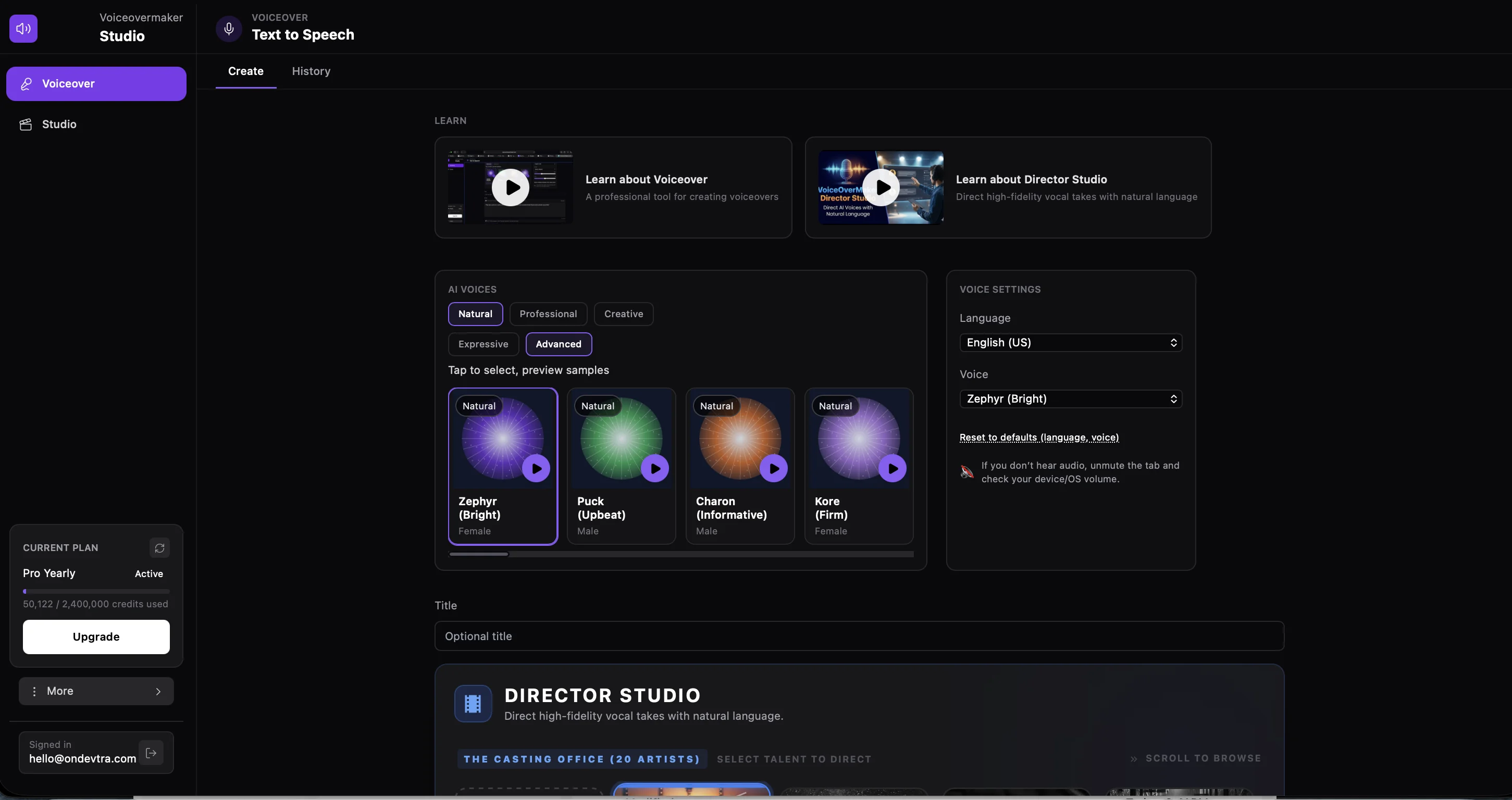
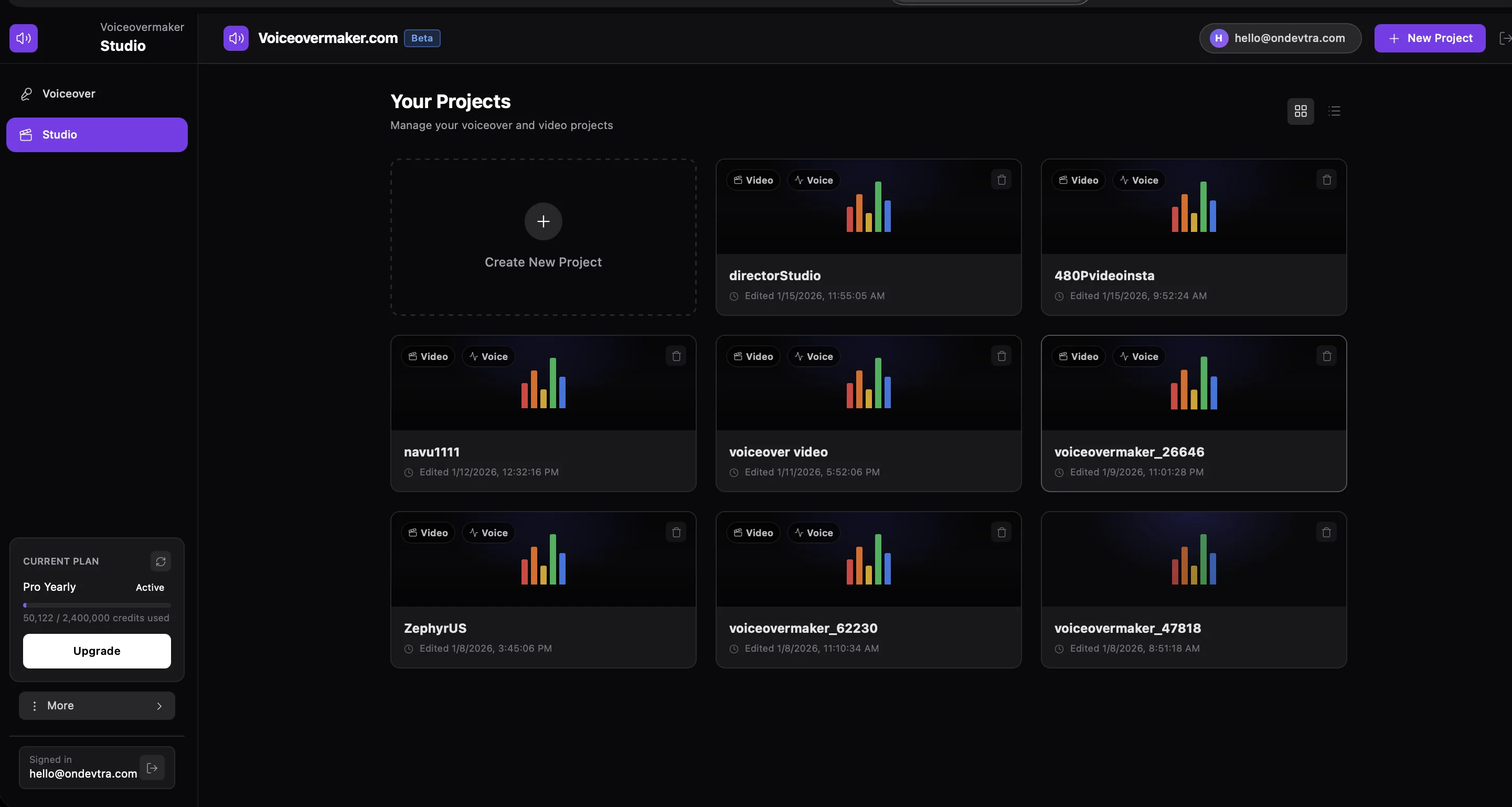
Access the full power of VoiceOverMaker on desktop. Director Studio, timeline editing, and multi-resolution video exports—all optimized for professional workflows.

Direct high-fidelity vocal takes with natural language. Describe characters, scenes, and vocal styles—no complex settings required.
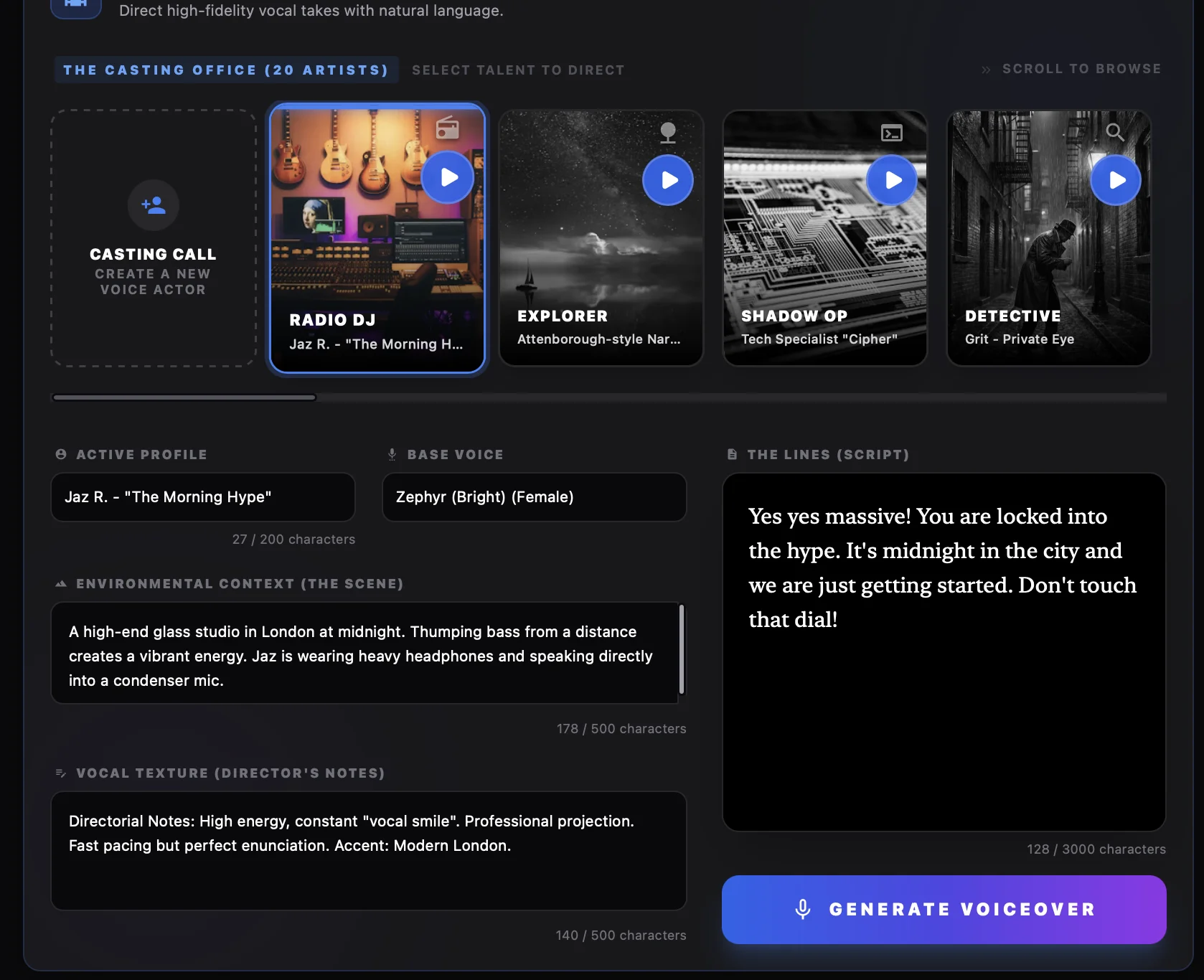
Browse 20+ pre-configured voice actors or create your own custom profiles. Each actor has unique characteristics, scenes, and vocal styles tailored for specific content types.
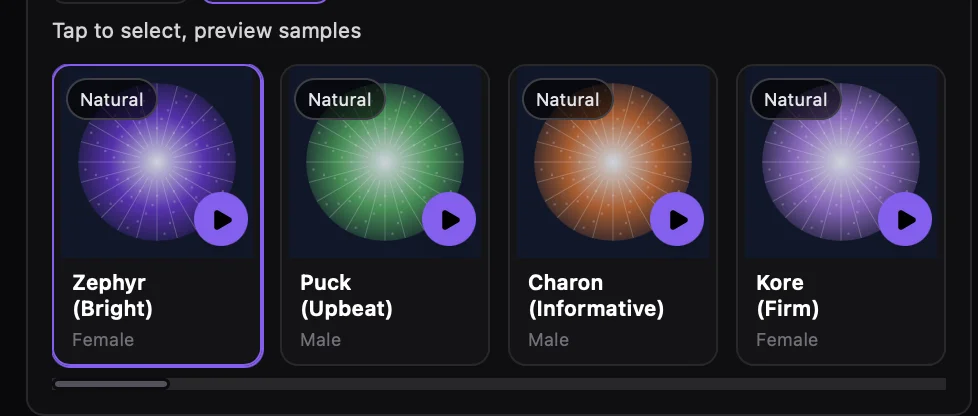
Browse and preview 200+ AI voices with instant audio samples. Filter by language, accent, and emotion to find the perfect voice.
Create professional voiceovers with our intuitive text-to-speech interface. Choose from Natural, Professional, or Creative voice modes with advanced settings.
FAQ
Everything you need to know about VoiceOverMaker
Make sure your device volume is turned up and not on mute. Check your browser's audio settings and ensure VoiceOverMaker has permission to play audio. Try refreshing the page or clearing your browser cache if the issue persists.
You can upgrade your plan anytime from your account dashboard. Go to the subscription page, select your desired plan, and complete the checkout. Upgrades take effect immediately with fresh credits added to your account.
The free tier includes 5,000 credits per month, which resets at the beginning of each billing cycle. This allows you to create approximately 2,500 characters of voiceover content. Unused credits do not roll over to the next month.
VoiceOverMaker supports 45+ languages and accents, including English, Spanish, French, German, Italian, Portuguese, Chinese, Japanese, Korean, Hindi, Arabic, and many more. Each language has multiple voice options with different accents and speaking styles.
Yes, you can upgrade or downgrade your plan at any time. Upgrades take effect immediately with fresh credits. For downgrades, contact support to ensure a smooth transition. You'll retain access to your current plan features until the end of your billing period.
For the best voice quality, use Creative Studio to provide clear character descriptions and scene context. Choose voices that match your content's tone and language. Break long scripts into smaller segments for better processing. Use the preview feature to test voices before generating the final audio.
All your projects are automatically saved to your account. You can access them anytime from the dashboard. We recommend giving your projects descriptive names and organizing them into folders. You can also export your voiceovers as MP3 or WAV files for backup.
Your projects and generated voiceovers are stored indefinitely as long as your account is active. Free tier accounts retain access to all projects. If you cancel your subscription, you'll retain access until the end of your billing period. We recommend downloading important files for long-term storage.
Billing occurs immediately when you subscribe or upgrade to a paid plan. Monthly plans bill on the same date each month. Yearly plans bill annually on your subscription anniversary. All payments are processed securely through Stripe. You can manage your billing and view invoices from the Stripe Customer Portal.
Free tier: 5,000 credits/month. Starter: 100,000 credits/month (monthly) or 1.2M credits/year (yearly). Pro: 200,000 credits/month (monthly) or 2.4M credits/year (yearly). Enterprise: Custom credit limits tailored to your needs. Each character costs 2 credits to convert to speech.